How to Send Crypto From Binance to MetaMask (2026)
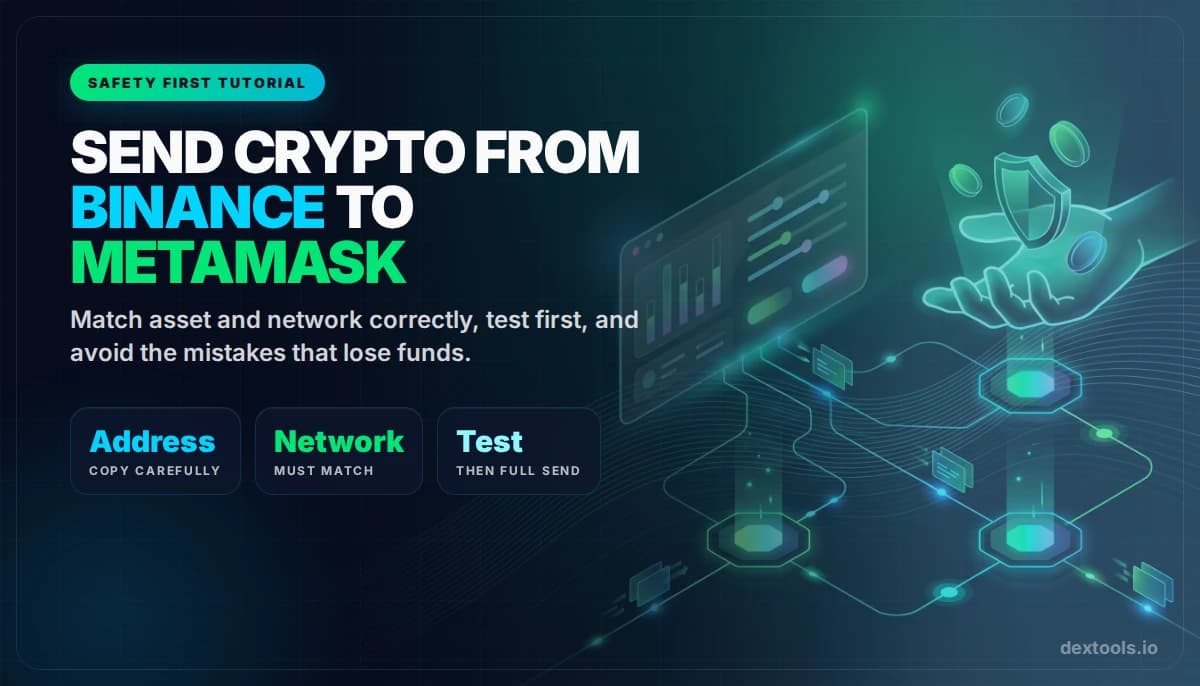
Sending crypto from Binance to MetaMask sounds simple, but it is one of the most common places beginners lose funds. The reason is almost always the same: they choose the wrong network, send an unsupported asset, or copy the right address into the wrong chain flow.
This guide is built to rank for a very practical search intent, but more importantly, to prevent expensive mistakes. If you follow the order carefully, it is a straightforward transfer.
Quick answer
- MetaMask supports EVM-compatible networks, so the asset and network must both match that reality.
- Always copy the wallet address from the correct network in MetaMask, then choose that same network on Binance.
- Send a small test transaction first if the amount matters.

Before You Send Anything: Understand the Core Rule
MetaMask is primarily an EVM wallet. That means it works with Ethereum and EVM-compatible networks such as BNB Chain, Base, Arbitrum, Optimism, Polygon, and Avalanche C-Chain. It does not natively work like a universal receiver for every possible network Binance offers.
So the first rule is simple:
Transfer flow at a glance
Step 1: Check Whether the Asset and Network Are MetaMask-Compatible
Before you even open Binance withdrawal, check that the asset you plan to send is one MetaMask can receive on an EVM chain.
Common Binance withdrawal networks for MetaMask
| Network on Binance | Works with MetaMask? | Example assets | Important note |
|---|---|---|---|
| Ethereum (ERC-20) | Yes | ETH, USDT, USDC | Usually the simplest default for ETH-based assets |
| BNB Smart Chain (BEP-20) | Yes | BNB, USDT, USDC | You may need to add the network in MetaMask if it is not already visible |
| Arbitrum, Optimism, Base, Polygon, Avalanche C-Chain | Yes | ETH or supported tokens on those chains | MetaMask must be on the correct network to see the balance |
| Non-EVM chains like BTC or Solana | No | BTC, SOL | Do not send these to MetaMask as if it were a universal wallet |
If you need the wallet basics first, read our MetaMask tutorial.
Step 2: Copy the Correct Wallet Address from MetaMask
Open MetaMask, switch to the network you intend to use, and copy the wallet address. On EVM chains, the address format often looks the same, which is helpful, but you still need to ensure the receiving chain matches what you choose on Binance.
If the chain is not yet visible in MetaMask, add it first before sending. Otherwise, the funds may arrive on the chain but you may panic because the wallet view is not configured correctly.

Step 3: Set Up the Withdrawal Correctly on Binance
On Binance, go to withdrawals for the asset you want to send. Then:
- Select the asset
- Paste the MetaMask address
- Choose the same network that matches your MetaMask setup
- Double-check withdrawal fees and minimums
- Send a test amount first
What each Binance withdrawal field actually means
| Field | What it controls | Why it matters |
|---|---|---|
| Wallet address | Destination account | Wrong address can be unrecoverable |
| Network | Blockchain used for transfer | Wrong chain is the most common mistake |
| Amount | Tokens withdrawn | Leave enough for fees and consider a test first |
| Memo or tag | Extra routing info on some networks | For normal MetaMask EVM receipts, this is generally not part of the flow. If Binance asks for it unexpectedly, stop and re-check |
Step 4: Send a Small Test Transfer First
This is the boring step that saves money. If you are moving a meaningful amount, do not send the full balance in one shot. Send a small test, confirm the asset arrives in MetaMask on the correct chain, then send the rest.
Step 5: What to Do If the Funds Do Not Appear
Do not panic immediately. In many cases, the transfer succeeded but the wallet is viewing the wrong network or the token is not visible yet.
Check in this order:
- Did Binance mark the withdrawal as completed?
- Are you on the correct network in MetaMask?
- Did you send a token that needs to be imported into the wallet view?
- Did you accidentally choose a wrong network on Binance?
If the chain was correct, the issue is often just a wallet-view mismatch. If the chain was wrong, recovery may or may not be possible depending on the exact case.
Common Binance to MetaMask Mistakes
Mistakes that cost real money
| Mistake | Why it happens | Safer alternative |
|---|---|---|
| Choosing the wrong network | User sees the same asset ticker on multiple chains | Match the MetaMask chain exactly |
| Sending unsupported assets to MetaMask | Assuming all exchange assets can land anywhere | Stay on EVM-compatible assets and networks |
| Skipping the test transfer | Trying to save time | Test small, then send full size |
| Panicking because the token is not visible | Wallet is on wrong network or token view missing | Check explorer, network, and token import first |
When Should You Transfer vs Bridge?
If the asset is still sitting on Binance and Binance already supports the exact network you need, a direct withdrawal is usually cleaner than sending somewhere else and bridging later. If you already received the asset on one chain but need it on another, then a bridge may make more sense.
For general wallet-movement safety, see our wallet transfer safety guide.
Frequently Asked Questions
Can I send ETH from Binance to MetaMask?
Yes, as long as you choose a MetaMask-compatible network and the same network on Binance withdrawal.
Can I send USDT from Binance to MetaMask?
Yes, if you withdraw it on a MetaMask-compatible network and your MetaMask wallet is set up for that chain.
What happens if I choose the wrong network?
That depends on the exact asset and network pair. Sometimes recovery is possible, sometimes it is not. This is why the network check matters more than almost anything else.
Do I need a memo or tag for MetaMask?
In a normal EVM withdrawal flow to MetaMask, not usually. If the exchange prompts something unexpected, stop and re-check before continuing.
Related reading
Disclaimer: This article is for educational purposes only and does not constitute investment, tax, or legal advice. Binance withdrawal options, supported networks, minimums, and fees can change over time. Always confirm live details before sending any transaction.