
QR Code Deep Link Drainers: Hidden Crypto Approvals
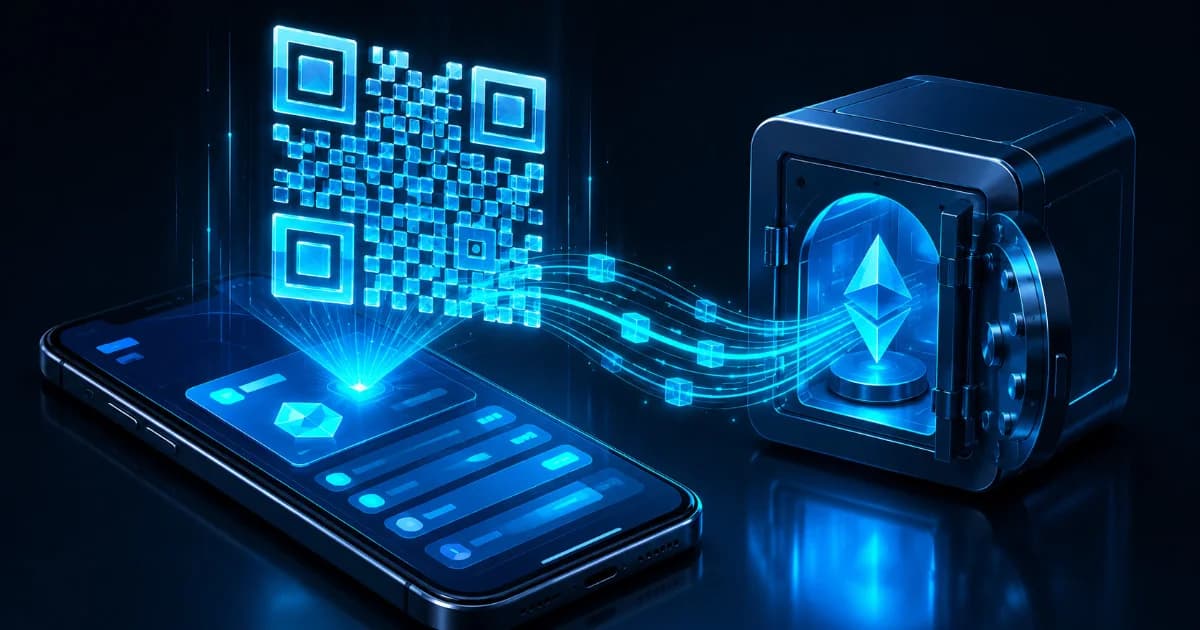
QR Code Deep Link Drainers: How Scanning a Crypto QR Triggers a Hidden Approval
- The rapid shift of the decentralized ecosystem toward mobile-first asset management has dramatically transformed user habits. A few years ago, interacting with decentralized finance (DeFi) networks required a desktop computer, specialized browser extensions, and manual connection confirmations. Today, retail participants manage their entire portfolios on the move. They open yield positions, execute swaps, and purchase digital collectibles directly from their smartphones using non-custodial mobile wallet applications.
- To smooth out the user experience across desktop monitors and mobile operating systems, the industry universally adopted the matrix barcode, commonly known as the QR code.
- Whether you are logging into a desktop interface, authorizing a payment at a physical kiosk, or linking a mobile app to a web portal, scanning a QR code is treated as a routine action.
It feels as intuitive and safe as clicking a hyperlink.
However, this visual simplicity conceals a highly advanced, multi-layered threat vector: QR Code Deep Link Drainers.
- By encoding specialized Uniform Resource Identifier (URI) schemes and application deep links into a standard QR block, automated phishing operations bypass traditional web browser security filters entirely.
- The moment a user scans the code, the execution context shifts instantly from a passive viewing posture to a stateful, interactive WebSocket connection.
- If the user is caught off guard by deceptive user interfaces, a single unverified biometric confirmation can instantly authorize an un-revoked token approval, draining the wallet's entire balance within a single block.

1. The Mechanics of the Mobile Handshake: Deep Links and Universal Routing
- To understand how a static arrangement of black and white pixels can orchestrate a sophisticated cryptographic exploit, we must first analyze how mobile operating systems interact with web data. On a traditional desktop computer, navigating to an application requires a web browser to process standard web protocols, routing data through a sandboxed browser script engine before touching a wallet extension.
Mobile operating systems, such as iOS and Android, handle application interaction through a far more direct mechanism known as Deep Linking and Universal Links.
- A deep link is a custom URI scheme that instructs the operating system to open a specific native application installed on the device rather than loading a standard webpage inside a mobile browser.
For example, a universal link scheme might look like this:
ethereum:0x71C5.../approve?token=0xUSDC...
Alternatively, it may utilize a protocol-specific communications route:
wc:v2/session-proposal?bridge=relay.walletconnect.org&key=symmetric_handshake_hash
- When the smartphone's native camera app or an in-wallet scanner processes a QR code containing these encoded strings, the operating system bypasses standard web checks.
It identifies the custom app prefix and pushes the data package straight to the designated application.
- If the user has a wallet like MetaMask, Trust Wallet, or Phantom installed, the operating system instantly opens that specific app and passes the raw string payload directly to its internal execution engine.
- The security perimeter shifts immediately from the generalized, heavily protected web browser layer to the highly specialized, stateful processing architecture of the mobile wallet itself.
2. The Exploitation Pipeline: Step-by-Step Execution
A QR code deep link drainer is not a brute-force cryptographic exploit; it is a highly coordinated sequence of automated technical steps that abuses standard Web3 communication protocols.
Here is exactly how a typical deep link draining campaign executes on-chain:
Step 1: The Phishing Setup and QR Generation
The threat network sets up a deceptive frontend website or publishes a high-impact social media broadcast.
This could be disguised as a exclusive token distribution page, an emergency security mitigation portal, or a high-yield staking terminal.
Instead of showing a standard "Connect Wallet" button, the page prominently displays a high-resolution QR code, instructing the user to scan the matrix block using their mobile phone to verify their identity or claim their reward.
Step 2: The WebSocket Tunnel Initialization
Encoded within that QR code is a stateful pairing URI scheme.
- The moment the victim scans the QR code with their mobile device, the operating system opens their default wallet app and processes the connection string.
- The wallet application immediately establishes an end-to-end encrypted WebSocket connection to a central relay bridge server specified in the payload.
The wallet is now actively paired with the attacker's automated script engine running in the background.
Step 3: The Automated Payload Injection
- The instant the relay bridge registers that the victim's wallet has successfully established an active pairing channel, the attacker's script triggers an automated response.
It queries the connected address via public blockchain nodes to index the wallet's highest-value token balances.
- Within milliseconds, the script generates a highly elevated transaction request payload (such as an ERC-20 token approval or an NFT contract allowance) and injects it directly into the open communication channel.
Step 4: The Presentation Deception
The victim’s mobile phone vibrates or flashes a notification prompt.
- Because the user believes they scanned the QR code simply to "login" or "connect" to the web platform, they expect to see a basic confirmation screen.
- The attacker takes advantage of this psychological expectation by configuring the dApp's metadata fields to read: "Confirm Secure Identity Verification" or "Synchronize Ledger Node Assets."
- The actual, underlying smart contract instruction (which authorizes the attacker's contract to spend the wallet's entire token balance) is compressed or hidden from active view by the compact mobile viewport.

Step 5: Biometric Authorization and Liquidation
Tricked by the benign presentation text, or simply wishing to dismiss the persistent popup, the user clicks the confirmation button.
The phone prompts for their FaceID, TouchID, or passcode to sign the request.
- The wallet encrypts the signature, broadcasts it back across the relay bridge, and the attacker's automated execution node submits the confirmed transaction to the public blockchain network.
- The attacker now possesses absolute, un-revoked permission to pull assets out of the user's address, instantly executing a batch sweep that clears the wallet's balances.
3. Table 1: QR Link Routing Schemes
To visualize how different data types within a QR code steer mobile devices into active exploitation paths, review this simplified architecture:
| Link Category | Mobile Operating System Action |
| Standard HTTP Link | Forces device to open a browser tab to view content. |
| Custom App URI | Automatically opens targeted mobile wallets to process data. |
4. The Core Exploits: Token Approvals, SetApprovalForAll, and Permit2
The structural danger of a deep link drainer lies in the specific cryptographic instructions it forces onto your mobile screen.
Scammers do not look to steal your raw seed phrase via the QR scan; instead, they target three specific asset-control functions written into the smart contracts of modern token standards.
The Standard ERC-20 approve Exploit
The most common payload injected through a deep link tunnel targets the standard token allocation function:
approve(address spender, uint256 amount)
When a user signs this prompt, they are writing an explicit instruction into the token's smart contract data state, granting the designated spender address permission to withdraw up to the specified amount from their wallet.
DaaS (Drainer-as-a-Service) kits configure this parameter to request an unlimited balance.
The moment the confirmation is signed, the attacker can execute the withdrawal from their own terminal at any point in the future.
The ERC-721 setApprovalForAll Exploit
For users holding valuable digital collectibles or non-fungible assets, the threat vector transitions to the ERC-721 security standard:
setApprovalForAll(address operator, bool approved)
- This function was originally designed to allow users to list their entire NFT collection on a decentralized marketplace like OpenSea with a single permission signature.
- When a deep link drainer injects this instruction, setting the boolean state to
true, the user hands the attacker absolute control over every single NFT issued by that specific contract.
The attacker can instantly pull every digital asset out of the account without needing another signature.
The EIP-712 Permit2 Gasless Exploit
The most sophisticated variant utilizes Uniswap's Permit2 framework and EIP-712 structured data signing.
Traditional token approvals require the user to execute an on-chain transaction and pay a gas fee to the network.
Permit2 introduces a way to authorize spending limits using a gasless off-chain signature.
- When the deep link injector pushes an EIP-712 Permit2 request to your mobile screen, it does not look like a standard transaction confirmation.
It appears as a flat text block, often masquerading as a harmless terms-of-service agreement or a secure login handshake.
The moment you sign this message, you generate a highly privileged, off-chain cryptographic token.
- The attacker's backend captures this signature payload from the relay bridge, submits it to the decentralized Permit2 router contract from their own funded address, and uses it to liquidate your tokens instantly.

5. Mobile Signature Risk Levels
Understanding how different signature requests display and function inside a mobile viewport helps isolate ongoing phishing strategies:
| Signature Specification | On-Chain Impact Scope |
| Standard Approve | Grants permanent spending control over one specific token. |
| EIP-712 Permit2 | Grants off-chain, gasless spending permissions to routers. |
6. Advanced Defensive Tactics: Hardening Your Mobile Perimeter
Because QR code deep link drainers operate by completely bypassing traditional web browser security filters, practicing effective asset protection requires a deliberate shift in how you manage your mobile execution environment.
To completely insulate your digital assets from matrix-based phishing vectors, implement these key defensive rules:
Isolate Scanning Protocols
Never use your smartphone's native camera application or a generic third-party QR scanner app to process crypto-related QR codes.
- Standard mobile camera apps are blind to the underlying cryptographic intents of custom URI schemes; they will parse any deep link or universal link uncritically and pass it directly to your wallet application without evaluating its risk profile.
- Instead, use the secure, integrated camera scanner found directly within a security-focused wallet app, or use verified Web3 extensions that actively screen incoming URLs for domain-hijacking markers before initiating a handshake.
Enforce Absolute Transaction Simulation
- Never sign a transaction prompt or off-chain message inside a mobile wallet that cannot provide a real-time, pre-execution transaction simulation.
A modern, secure wallet must decode complex calldata hex blocks before showing you the signature screen.
- It should display a clear, human-readable summary of the exact state change: showing you precisely what assets are entering or leaving your address, what contract is requesting access, and whether that contract is linked to active blacklists.
If a mobile app displays an unreadable block of characters accompanied by a vague "Identity Login" label, reject the signature immediately.
Deactivate Mobile Blind Signing
- If you utilize a mobile-paired hardware wallet via Bluetooth or a secure hardware connection, ensure that blind signing is permanently disabled in the device settings.
- Blind signing strips away your ultimate line of defense by allowing your hardware security module to authorize smart contract parameters without displaying them on the physical screen of your cold-storage device.
- When blind signing is turned off, your hardware wallet will decode the transaction and force you to manually confirm the exact token address, spending limit, and destination network directly on its physical, un-hackable screen.
If the data shown on your cold-storage display does not perfectly match your intentions, reject the execution.
7. Verification and On-Chain Telemetry via DEXTools
- In the modern, high-velocity Web3 environment, maintaining direct visibility over token metrics and pool structures is a critical survival requirement. When speculative projects launch new distribution cycles or implement complex promotional airdrops via public QR campaigns, relying on unverified print logs or social media links exposes your portfolio to severe front-running, fake token clones, and automated honeypot traps.
- DEXTools provides the critical, real-time analytical telemetry needed to identify fraudulent, cloned, or malicious smart contracts before you ever scan a connection QR code or authorize a signature. By entering a token's contract address directly into the advanced DEXTools Pair Explorer, you can instantly review live volume metrics, evaluate automated smart contract security audits, verify liquidity pool lock states, and check overall wallet holder distributions. This precise look-through tracking ensures your assets remain fully protected across the decentralized landscape.
You can access DEXTools here and start trading today!
Disclaimer: This article is for informational purposes only and does not constitute investment advice, financial advice, trading advice, or any other kind of advice. DEXTools does not recommend buying, selling, or holding any cryptocurrency or token. Users should conduct their own research and consult with a qualified financial advisor before making any investment decisions. Cryptocurrency investments are volatile and high-risk. DEXTools is not responsible for any losses incurred.